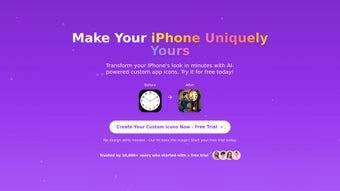

Download IconLab.me – Free AI‑Powered Icon Design Tool for Web, Windows, Mac, Android & iOS
Overview
IconLab.me is a modern, browser‑based icon creation platform that combines the convenience of a web app with the power of artificial intelligence. Designed for graphic designers, UI/UX specialists, marketers, and developers, the tool eliminates the need for bulky desktop applications by running entirely in a standard web browser. Its AI engine analyses the shapes you sketch, recommends harmonious colour palettes, suggests style variations, and even auto‑balances composition, allowing you to produce professional‑grade icons in a fraction of the time traditionally required.
Because it lives in the cloud, every update, bug‑fix, and AI model improvement is delivered instantly—no manual downloads or licence renewals are necessary. The interface is clean, responsive, and built with the React framework, ensuring smooth performance on devices ranging from a high‑resolution 4K monitor to a compact smartphone screen. Whether you are designing a set of social‑media icons, a suite of app symbols, or a collection of UI elements for a web dashboard, IconLab.me provides a secure, free environment that scales with your workflow.
Its emphasis on real‑time collaboration, version history, and encrypted cloud storage makes it a trustworthy partner for both solo freelancers and large design teams. In short, IconLab.me offers a zero‑cost, AI‑enhanced, cross‑platform solution that streamlines icon production while keeping your data safe and your creative control intact.
Key Features of IconLab.me
- AI‑Driven Design Suggestions: The AI analyses your initial sketch and instantly proposes colour schemes, gradients, and stylistic tweaks that align with current design trends, reducing brainstorming time.
- Responsive Resizing Engine: Generate all required icon sizes—from 16 px favicons to 256 px high‑resolution assets—with a single click, while preserving vector fidelity for any platform.
- Layer Management & Grouping: Create, lock, hide, and batch‑transform vector layers, giving you granular control similar to desktop‑grade editors.
- Dynamic Colour Palette Generator: Choose from curated preset palettes or let the AI craft a custom palette based on your brand colours, an uploaded image, or a mood board.
- Multi‑Format Export Options: Download assets as SVG (scalable vector), PNG (raster), ICO (Windows icons), and WebP (modern web format) with transparent backgrounds and retina‑ready settings.
- Template Library & Starter Packs: Access a growing collection of pre‑built icon sets for common categories such as e‑commerce, social media, navigation, and mobile UI.
- Real‑Time Collaboration: Share a unique link that grants teammates view or edit rights; all changes sync instantly, making remote teamwork seamless.
- Version History & Snapshots: Every edit is automatically saved, and you can revert to any previous version with a single click, protecting you from accidental loss.
- Secure Cloud Storage: All files are stored on encrypted servers compliant with GDPR and CCPA, ensuring your proprietary designs remain private.
- Cross‑Platform Browser Compatibility: Runs on any modern browser with JavaScript enabled, supporting Windows, macOS, Linux, Android, and iOS devices without additional installations.
Installation, Usage, Compatibility, Pros & Cons, and FAQ
Installation & Usage Instructions
Because IconLab.me is a pure web application, there is no traditional installation process. All you need is a stable internet connection and a modern browser (Chrome, Firefox, Edge, Safari, or Opera) with JavaScript enabled. To start designing, follow these steps:
- Open the site: Navigate to https://iconlab.me in your preferred browser.
- Create an account: Click “Sign Up” and register with an email address, or use a single‑sign‑on option such as Google or GitHub for quicker access.
- Launch a new project: After logging in, select “New Icon” and either pick a template from the library or start with a blank canvas.
- Activate AI assistance: Press the “AI Suggest” button; the system will analyse your draft and present colour, shape, and style recommendations.
- Refine your design: Use the toolbar to adjust size, rotation, opacity, and layer order. Real‑time previews show how the icon looks at different resolutions.
- Export your work: When satisfied, click “Export,” choose the desired formats (SVG, PNG, ICO, WebP), and download the files directly to your device.
Compatibility
IconLab.me works on any operating system that supports a modern web browser, including Windows 10/11, macOS Ventura and later, most Linux distributions, Android 10+ browsers, and iOS 14+ Safari. For users who prefer a more native feel, the platform offers a Progressive Web App (PWA) option: click “Add to Home Screen” on mobile or “Install” on desktop browsers to create a shortcut that runs the app in a lightweight container with cached assets for faster loading.
Pros and Cons
Pros
- Fully free tier with unlimited projects and all export formats.
- AI‑driven suggestions dramatically cut down design time.
- Zero‑install, browser‑based solution works across Windows, macOS, Linux, Android, and iOS.
- Extensive export options including vector‑friendly SVG and modern WebP.
- Secure, encrypted cloud storage with automatic version history.
- Responsive UI adapts to any screen size, from smartphones to 4K monitors.
- Real‑time collaboration enables seamless remote teamwork.
Cons
- Full AI functionality requires an active internet connection.
- Advanced vector editing tools are less comprehensive than premium desktop apps like Adobe Illustrator.
- Offline capabilities are limited to cached assets; occasional sync is still needed.
- Template library, while growing, may not cover highly niche icon categories.
Frequently Asked Questions
Is IconLab.me really free to use?
Yes. IconLab.me offers a completely free tier that includes AI suggestions, unlimited projects, and all export formats. A premium plan may be introduced later for enterprise‑level features, but the core functionality remains free.
Do I need to install any plugins or extensions?
No additional plugins are required. The application runs in any modern browser with JavaScript enabled. The optional PWA shortcut still relies on the browser engine.
Can I collaborate with teammates in real time?
Absolutely. IconLab.me provides a shareable link that grants view or edit permissions, and all changes are synced instantly across collaborators.
What file formats are supported for export?
You can export icons as SVG (vector), PNG (raster), ICO (Windows icon), and WebP (modern web format). All formats retain transparency and can be scaled without quality loss.
Is my data safe on IconLab.me’s cloud servers?
Yes. All files are stored on encrypted servers that comply with GDPR and CCPA standards. You can also download your assets at any time for self‑hosting.
Review Summary: IconLab.me impresses with its AI‑powered workflow, intuitive UI, and zero‑cost model, making it a standout tool for quick icon production across all major platforms.
Conclusion – Why You Should Download IconLab.me Today
In today’s fast‑paced digital landscape, visual consistency is a competitive advantage. IconLab.me gives you a free, secure, and AI‑enhanced way to create high‑quality icons without the overhead of traditional desktop software. Its browser‑based nature means you can start designing instantly on Windows, macOS, Linux, Android, or iOS, and the progressive web app option lets you enjoy a near‑native experience with offline caching.
The tool’s AI suggestions, responsive resizing, and extensive export options dramatically reduce the time spent on repetitive tasks, while the built‑in collaboration and version history features keep teams aligned and protect against accidental loss. Whether you are a freelance designer needing a quick set of icons for a client, a marketing professional seeking brand‑consistent symbols, or a development team looking to streamline UI asset pipelines, IconLab.me offers a seamless workflow that saves both time and money.
Ready to upgrade your icon design process? Download IconLab.me now and experience the future of icon creation—free, AI‑driven, and available wherever you work.



.png)



